Technology Support
--------------------------------------------------------------------------
-------------------------------------------------------------------------------
Busitema University operates a multi-campus model with six operational campuses which include;
a.Busitema University Main Campus
The Main Campus is primarily dedicated to the study of engineering and technology. It serves as the hub for the office of the Academic secretary and oversees student admissions and records.
The campus is located along the Jinja–Tororo Highway in the Busia District, it sits about 26 km southwest of Tororo.
How to Get There (Best Route):
At Busitema University, a surcharge is an extra financial penalty added to your portal invoice. It happens if you do not complete your required university tasks on time.
The critical reasons for a surcharge and the exact amounts charged include:
1. Late Online Enrollment
If you need any help with Busitema student portal, registration, payments, results, or any ICT-related issue, you can contact the Busitema University Directorate of ICT (DICTS) through:
Email: dicts.busitema.ac.ug
Help Desk Email: help.dicts@busitema.ac.ug
Director of ICT: gocen@busitema.ac.ug
You can also visit the ICT Directorate offices at the administration block during working hours
A photo on the Student Portal is highly important because it connects your face to your digital identity.
The university uses this picture for official security, grading, and identification..
To put a photo on your Busitema University Student Portal, you need to use your profile picture because it appears on your official university documents and student ID card.
In order one misses a photo on the Student Portal;
Visit the guild and Academic Registrars’’ Office for clarity
Log in to the Student portal
Go to payment selections
Generate the PRN to make partial payments you wish to pay
Click on Generate print and save the PRN generated Pay using;
MTN Mobile Money
A bank/Visa
After payment, wait for the portal to update and if it does not, go to Payments and Transactions, check PRN status and enter the PRN to pull the payment
At Busitema University, students must complete online enrollment on the portal at the beginning of every single semester. However, there are special situations where a student must go through a formal re-enrollment or re-registration process with the Academic Registrar.
The critical situations that require you to re-enroll or renew your registration include:
1. Returning From a Stay of Academic Leave
1. Log in to the Busitema Student Portal
2. Go to Enrollment and Registration
3. Ensure your enrollment course registration have been approved
4. Look for options such as PRINT;
-Proof of Enrollment
-Proof of Registration
-Examination Permit
Click the document you need and download as PDF.
Make a formal application through your department
-Make sure you are eligible for the supplementary exam( typically a final-year students who scored within the supplementary range)
-Pay the required supplementary examination fee
Write a formal application to the Academic Registrar through your Head of Department and Dean of Faculty after the Faculty board meeting
The application is then forwarded to Senate for approval before you can sit the supplementary examinations.
PRELIQUISTES
- Phone or computer with internet connection
- Your student number or your registration number
- Should have enrolled to the current semester or in the semester you need to pay for
STEP 1
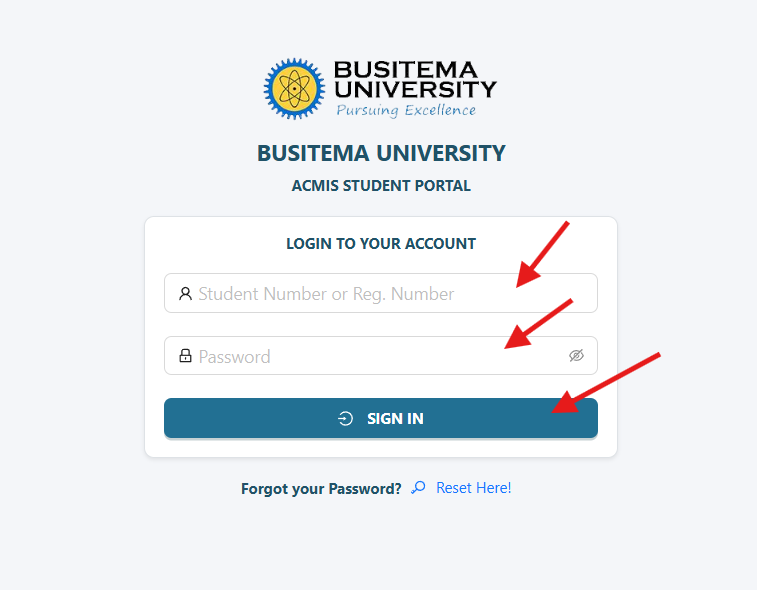
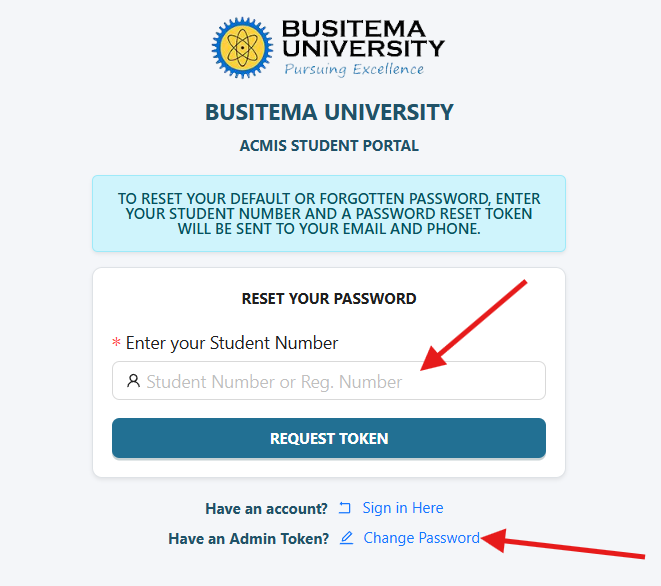
Open your browser or student portal app, enter https://myportal.busitema.ac.ug and search. The login form will come and you enter your student number and password to login.
STEP 2
 MISSION: “TO PROVIDE HIGH STANDARD ICT SOLUTIONS FOR TEACHING, LEARNING AND RESEARCH FOR A TRANSFORMATIVE SOCIETY”.