HOW TO VOTE FOR CANDIDATES ON THE E-VOTING SYSTEM
DIRECTORATE OF INFORMATION AND COMMUNICATIONS TECHNOLOGY AND SERVICES
HOW TO VOTE FOR CANDIDATES ON THE E-VOTING SYSTEM
Prerequisites
- Make sure that you are an eligible voter
- Login to the E-Voting system. See Login Manual
- There should be a running poll at the application time
- You should have your registered line active for receiving the vote OTP
STEP 1:
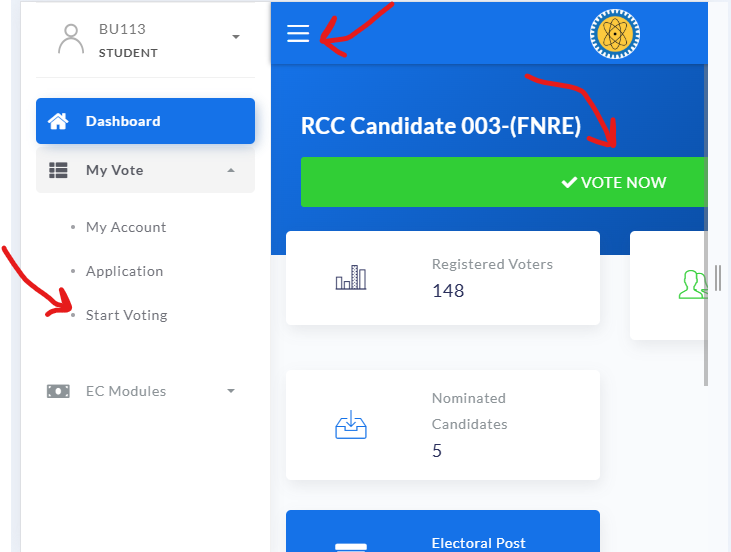
After logging in, click on “VOTE NOW” or “Start Voting” on the side navigation as shown below.
STEP 2:
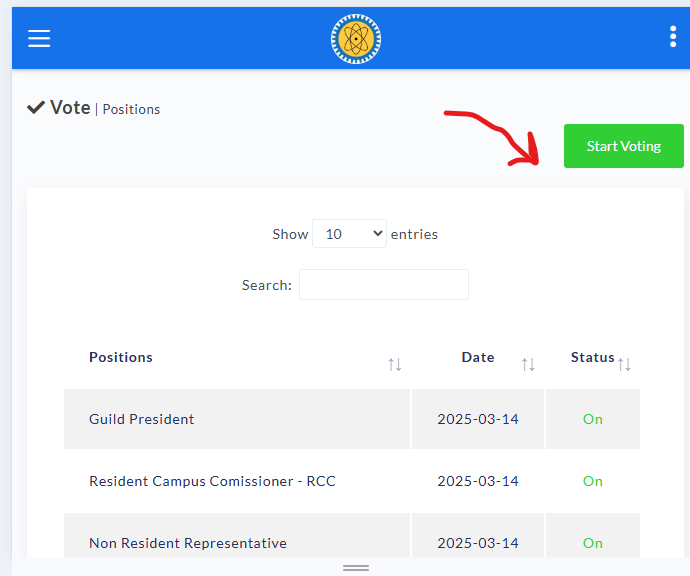
The next page will list all the available positions where you are legible to vote, Click on the Start Voting button in the top right Conner
STEP 3:
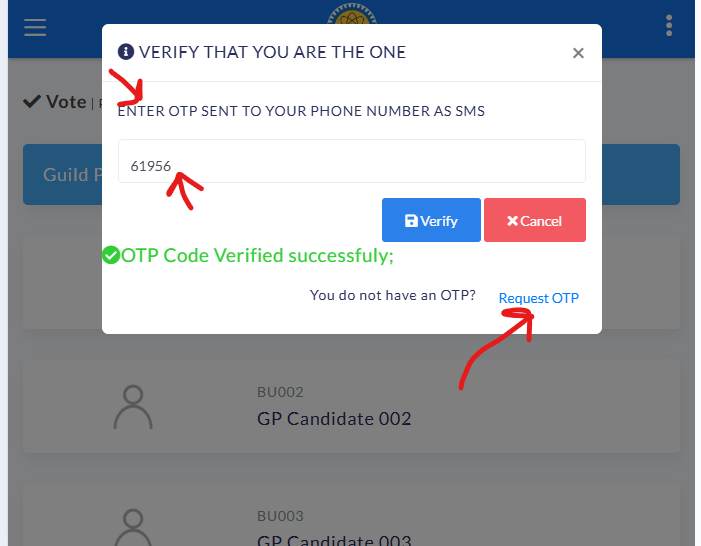
The authentication or verification model, popup will appear where you are required to enter your vote OTP that was sent on your phone. If you do not have it, just request for it as seen in the image below.
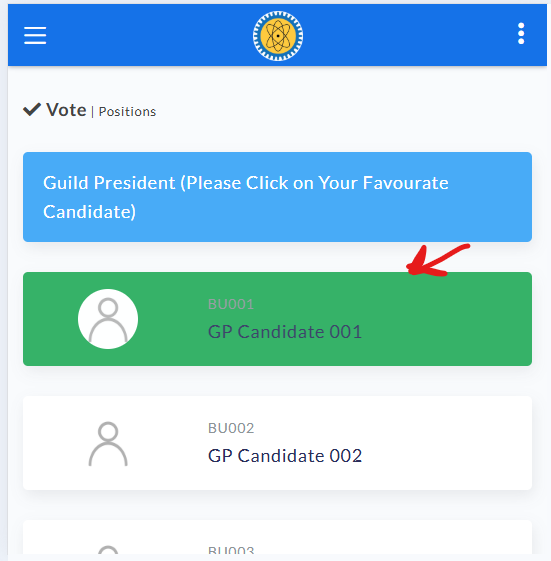
After verification as seen in the above picture, you will be presented with the candidates that stoop for post by post. Click on your favorite candidate to vote as shown below
At the end of voting, confirm your vote by clicking on the “I confirm…” button as seen below
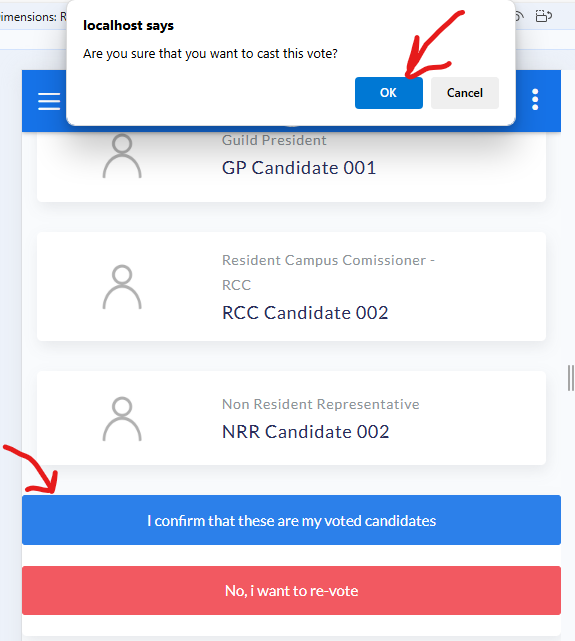
NOTE: Make sure you confirm your vote before the voting time closes to prevent your vote to be counted as an invalid vote.
For more information; Go to https://dicts.busitema.ac.ug/support/chat and type in your question, the ICT team will be very positive to help and guide you.